Squiggle Fonts – Copy & Paste Squiggle Fancy Text
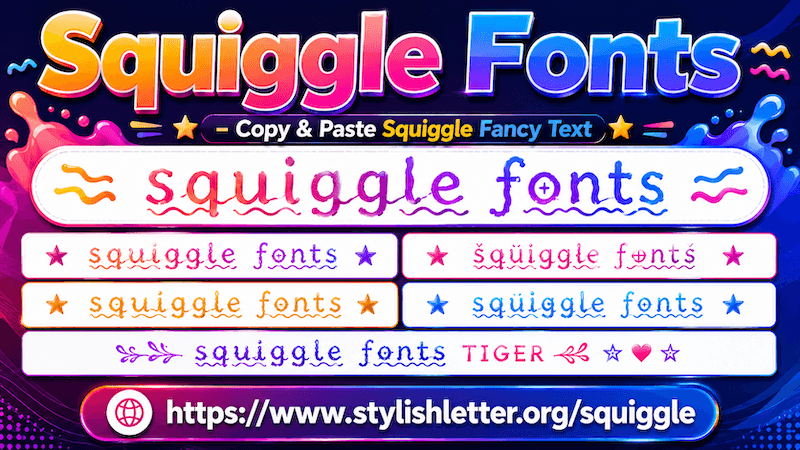
Squiggle Fonts is a fancy text style that transforms your normal text into different kinds
of unique and stylish fonts. It gives your text a creative appearance while keeping it simple and easy to use.
Here, you will find a collection of Squiggle fancy text fonts style. You can generate and explore more than
100+ Squiggle fancy fonts and use them for many different purposes.
You can use these styles for daily messages, online communication, chatting with friends and family,
Instagram bios, WhatsApp statuses, WhatsApp bios, gaming usernames, nicknames, and many other places
where you want your text to look more unique.
How to Copy Paste Squiggle Fancy Text
It is quite simple to do. First, click on the input bar where you see the text
"Type a letter....". Then write your message, name, nickname, title, or anything else you want
to convert into fancy text.
As you type your text, it will automatically generate Squiggle fancy text fonts styles for you. Now simply click
on any style that you like.
As you click it, you will see a notification saying
"Copied". That means your text has been copied successfully. Now you can paste and share it
anywhere you want.
How to Use Regenerate It Button?
It is quite easy to use. This is one of the website features designed for people who do not like scrolling
repeatedly. First, scroll down and go to the Decorated Squiggle section.
You will notice a symbol shown before the section title. You will find the same symbol at the bottom of screen
after the bulb icon.
When you click that button, the entire Decorated Squiggle section will refresh and generate new Squiggle
fancy text styles.
If you click again, it will generate new styles again. You can continue doing this to explore more
and more variations.
If you want to copy any style, simply click on it and you will see the notification
"Copied". Once copied, you can paste and share it anywhere you want.
How to Use Built-In Decoration Function
Besides generating fancy text styles and decorated styles, every generated fancy text includes a
button called "Deco" on the right side.
The Deco button is designed for users who want something extra.
For example, if you like a fancy text style but feel something is missing, the Deco function helps
you customize it further.
When you click the Deco button, a new pop-up will open with the title
"Flourish Stylish Letter".
There, you will see many decorated fancy text options of your selected fancy text.
The decoration function adds symbols, emojis, kaomojis, and other decorative elements to make your
selected text more creative and unique.
Inside this page, you will also find a regenerate it button. When clicked, it generates new decorated
fancy text again and again.
If you want to copy any result, simply click on it and it will show the notification
"Copied". You will also find more customization options under the select menu, including styles
such as
Kawaii, Cool, Gamers, and others.
Each option provides different decorations, emojis, and styling effects to make your Squiggle fancy
text look even more unique and creative.
How to Make Squiggle Fancy Text Fonts Look Bigger and Smaller?
This is one of the easiest features to use on the website. Below the input bar, you will find a slider that
controls the preview size.
Slide it to the right to make Squiggle fancy fonts appear bigger.
Slide it to the left to make them appear smaller.
Keep in mind that this feature works only for preview purposes. It helps you see how the text looks
in larger or smaller sizes before copying.
The actual appearance may vary depending on the device or platform where the text is viewed.