Flip & Mirror
-
ɹoɹɹıW ⅋ dılℲ
Flip 13 chars -
ɿoɿɿiM qi|ꟻ
Mirror 12 chars -
Ⅎlᴉd & Wᴉɹɹoɹ
Mirror Flip 13 chars

ɹoɹɹıW ⅋ dılℲ
ɿoɿɿiM qi|ꟻ
Ⅎlᴉd & Wᴉɹɹoɹ
Mirror Text is a fancy text style that transforms your normal text into mirrored and flipped text styles.
It actually flip your text and make it look like mirror-style fonts. This creates a unique and fun effect that looks different from normal text. It is a great option if you want to send creative messages to your friends and family.
Here, you will find a collection of flip and mirror fancy text styles.
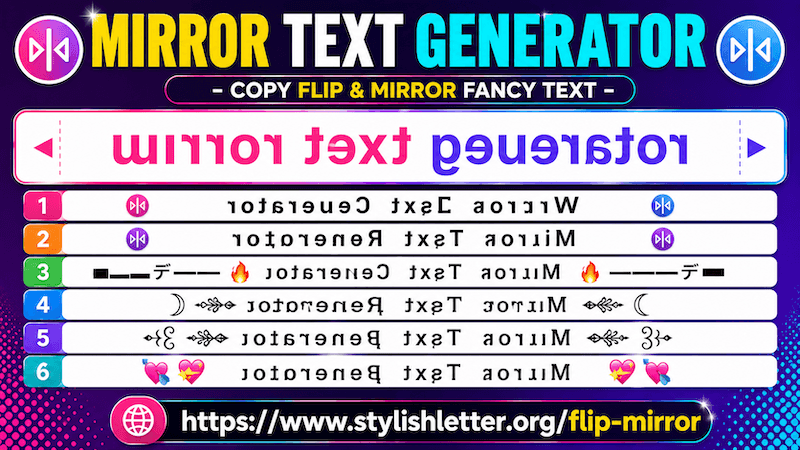
It is really easy to do. First, click on the input bar where it says "✎ Type a letters......". There, type your message, name, nickname, or any text you want to convert. Once you type it, this automatically generates flip and mirror fancy text styles for you.
Now simply click on any style that you like. When you click it, you will see a "Copied" notification. That means your text has been copied successfully.
Now you can paste and share it anywhere you want.
It is one of the best features available here. You may not find this feature in many other places because it is specially designed for users who want more decoration of flip and mirror text styles.
By default, only a few styles are shown, Deco feature gives you many more options. For example, if you like one of the generated styles, click the Deco button. A new pop-up page called Flourish Stylish Letter will open.
There, your selected flip and mirror text will appear with additional decorations. You will see extra symbols, emojis, text art, gaming symbols, fire effects, heart symbols, crowns, and many more decorative styles. This makes your flip and mirror text look more unique and creative.
Inside Flourish Stylish Letter, you will also find a section called Select Option. By default, it is set to Default Flourish.
When you click it, you will find different decoration categories such as:
Every category creates a different style and feeling for your text.
You will also find a regenerate it button at the bottom. Every time you click it, it refreshes and generates more decorated text styles. You can continue clicking to explore even more variations.
To copy one, simply click the style you like. As you clicked, you will see the copied notification.
Then you can paste or share it anywhere.
You can share flip and mirror stylish text almost everywhere.
For example, you can use them on social media platforms such as Facebook, Instagram, Twitter, TikTok, YouTube, and many more. You can also use them on websites, online communities, forums, and comment sections. They also work well in platforms like Discord.
You can even use them in games such as Free Fire, PUBG, Call of Duty, and other games where usernames, nicknames, or gaming names are supported. Not only online—you can also use them in regular messages.
If the platform supports Unicode characters, people will usually see the same styled text that you send.